Nebula·3, a Web Audio power synth with 67 presets and live previews
- Client
- Nebula·3
- Year
- 2026
- My role
- Concept · Audio engine · Sound design · UI
- Stack
- Web Audio API, React, TypeScript, TanStack Start, Web MIDI, Mixpanel, Vitest
- Type
- Lab · Sound · WebAudio
A browser synth you can play in one click: 67 presets across seven banks, each with a live preview that plays it over drums and bass, a 16-voice engine, MIDI keyboard support and four 80s neon colour themes.
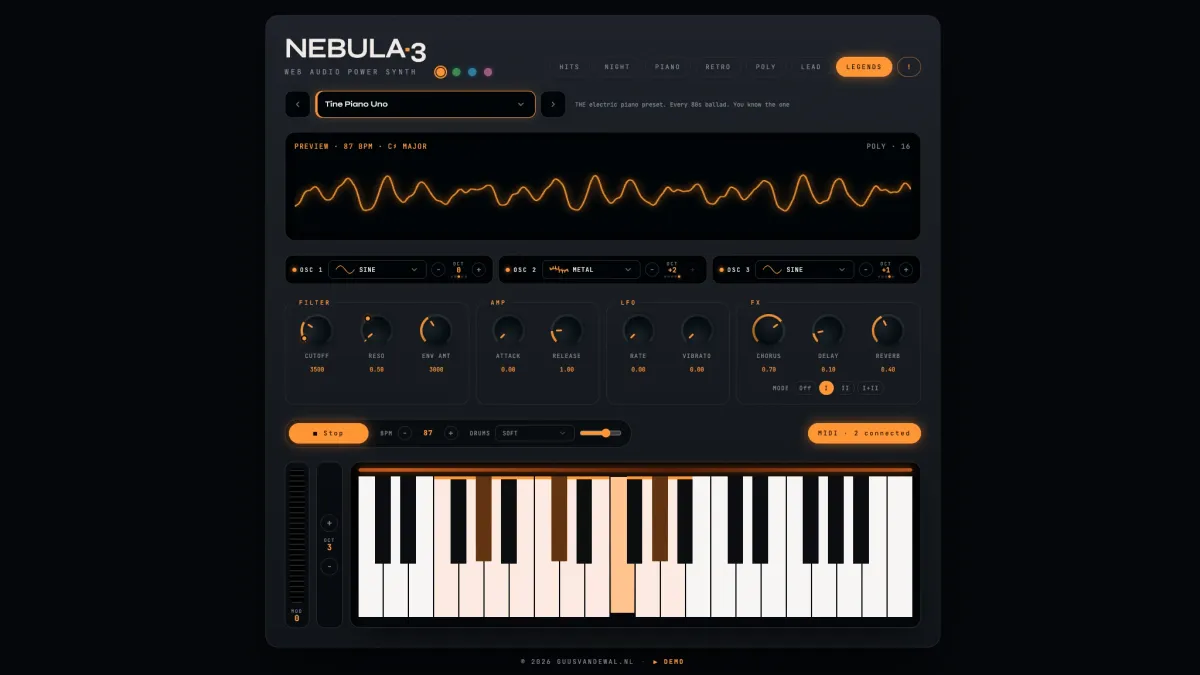
Most browser synths greet you with a wall of knobs and silence. Nebula·3 is built the other way round: press Space and the current preset plays a short musical phrase over drums and a bass line, so you hear what a sound is for before you touch anything.
An engine in one file, presets as data
The whole instrument is built on the Web Audio API, with no audio libraries. Two rules keep it maintainable:
- Engine and interface are separate. All sound generation, voice management and effects live in one module. The React interface only calls its public methods and never creates an audio node itself.
- Every preset is plain data. The 67 presets are typed
Patchobjects in an array, with no per-preset code. A new capability becomes a new field with a default, so existing presets keep sounding the same.
Each voice has up to three oscillators with unison, detune and stereo spread, a sub oscillator and noise, then a resonant filter and an amp stage with their own envelopes. Besides the four native shapes there are nine custom waveforms (organ, vox, piano, metal and others), each defined as a Fourier series and loaded as a PeriodicWave. The same coefficients draw the little waveform icons in the interface.
The effects are a three-mode chorus modelled on 80s bucket-brigade units, a delay, a convolution reverb with a generated impulse, a soft saturation stage and a master compressor.
Seeing how people actually play it
A synth is hard to judge from page views, so Nebula·3 is instrumented with Mixpanel. The recording above is a Mixpanel session replay of a visitor on a phone, flipping through the LEGENDS bank one preset at a time; each step shows up as a preset_selected event next to the recording.
- Every event is typed. The eight events (preset selected, preview started, note played, patch edited, MIDI connected and so on) are one TypeScript union, so a misspelt event name or a missing property fails the build.
- Signal, not noise. The first note and the first knob edit are recorded once per preset, not on every key press, and the automated showcase tour doesn't count as someone picking presets.
- Context on every event. Each one carries the preset, its bank and how it was triggered: mouse, computer keys or MIDI, and whether the visitor arrived directly or through the demo link.
- Session replay and heatmaps. Replays show where people get stuck, which matters most on the phone layout. Form inputs are masked and images are blocked from the recording.
- Restrained by default. Events use no cookies and no local storage, there is no location lookup from the IP address, and everything goes to Mixpanel's EU endpoint. Only production builds send data; in development events are logged to the console instead.
The full setup, with code, is written up in Mixpanel in React: typed events, no cookies, EU endpoint.
Playable, not just clickable
- 16-voice polyphony with voice stealing. A 17th note takes over the oldest fading voice with a fade of a few milliseconds, so big chords never click or overload.
- MIDI keyboard support through Web MIDI, with velocity, sustain pedal and mod wheel. The browser only asks for permission after you click Connect MIDI.
- Computer keys, mouse and touch, with a phone layout that keeps the keys wide enough to play.
- Smoothed parameters. Every knob change on a sounding voice is ramped, so tweaking while playing never produces zipper noise.
Previews that sell the sound
Each preset has a demo style (pad, keys, arp, brass, lead, bass and more) that decides what the preview plays, plus a drum groove such as house, funk, trap or synthwave and its own tempo. You can change the groove, the tempo and the drum level per preset. Picking a preset can also switch the whole interface to one of four colour themes.
Built spec-first
Every change started as a written feature specification with user stories and acceptance scenarios, 26 in total, using Spec Kit. The engine is covered by 85 tests that run against a fake AudioContext, so voice counts, envelopes and MIDI handling are checked without a browser or a sound card.
The video above is not screen-recorded by hand. Adding ?showcase to the URL opens a setup panel where I pick a playlist of presets, a colour theme for each and the seconds per step; the synth then plays the tour hands-free while I record it.
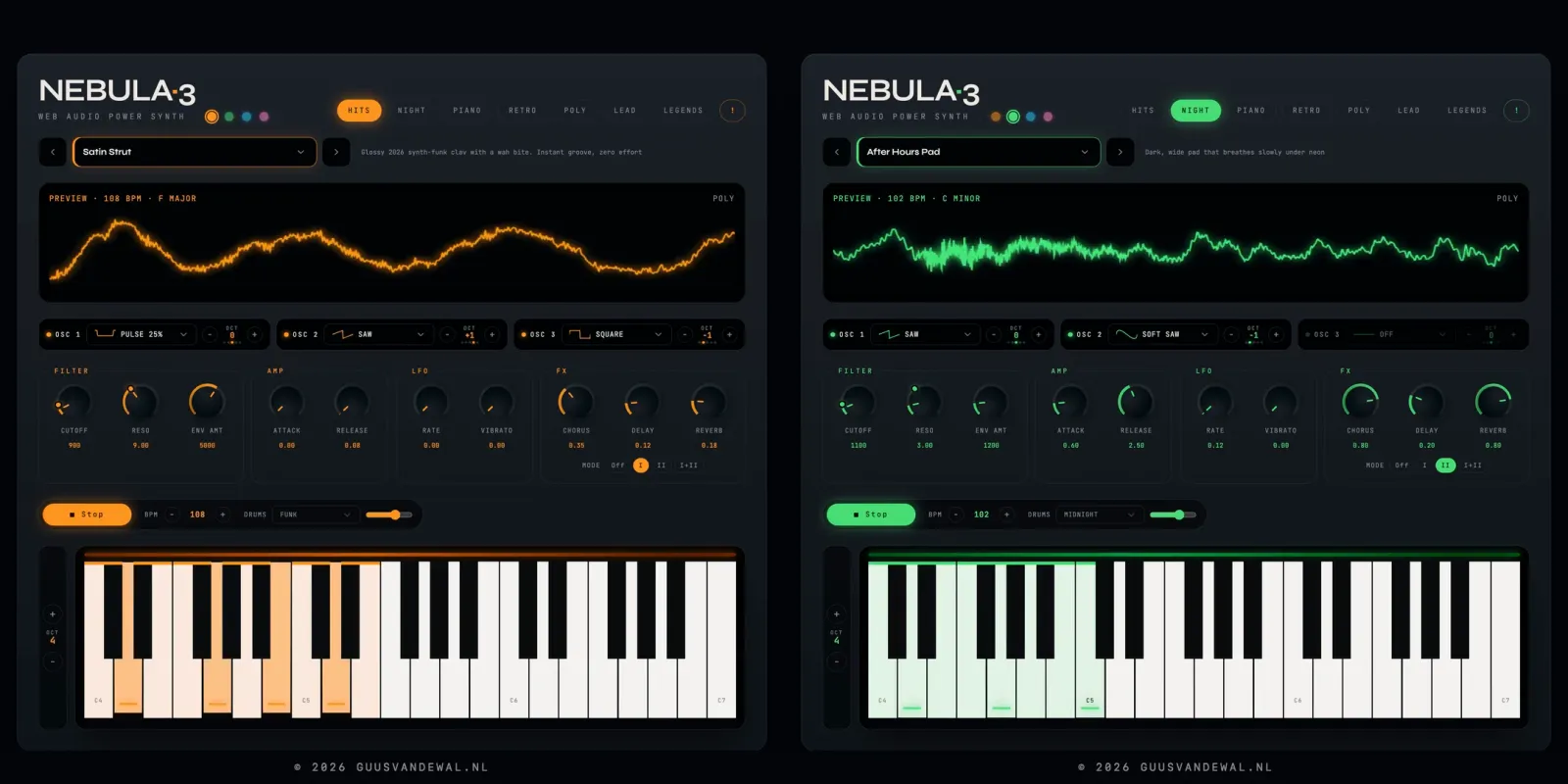
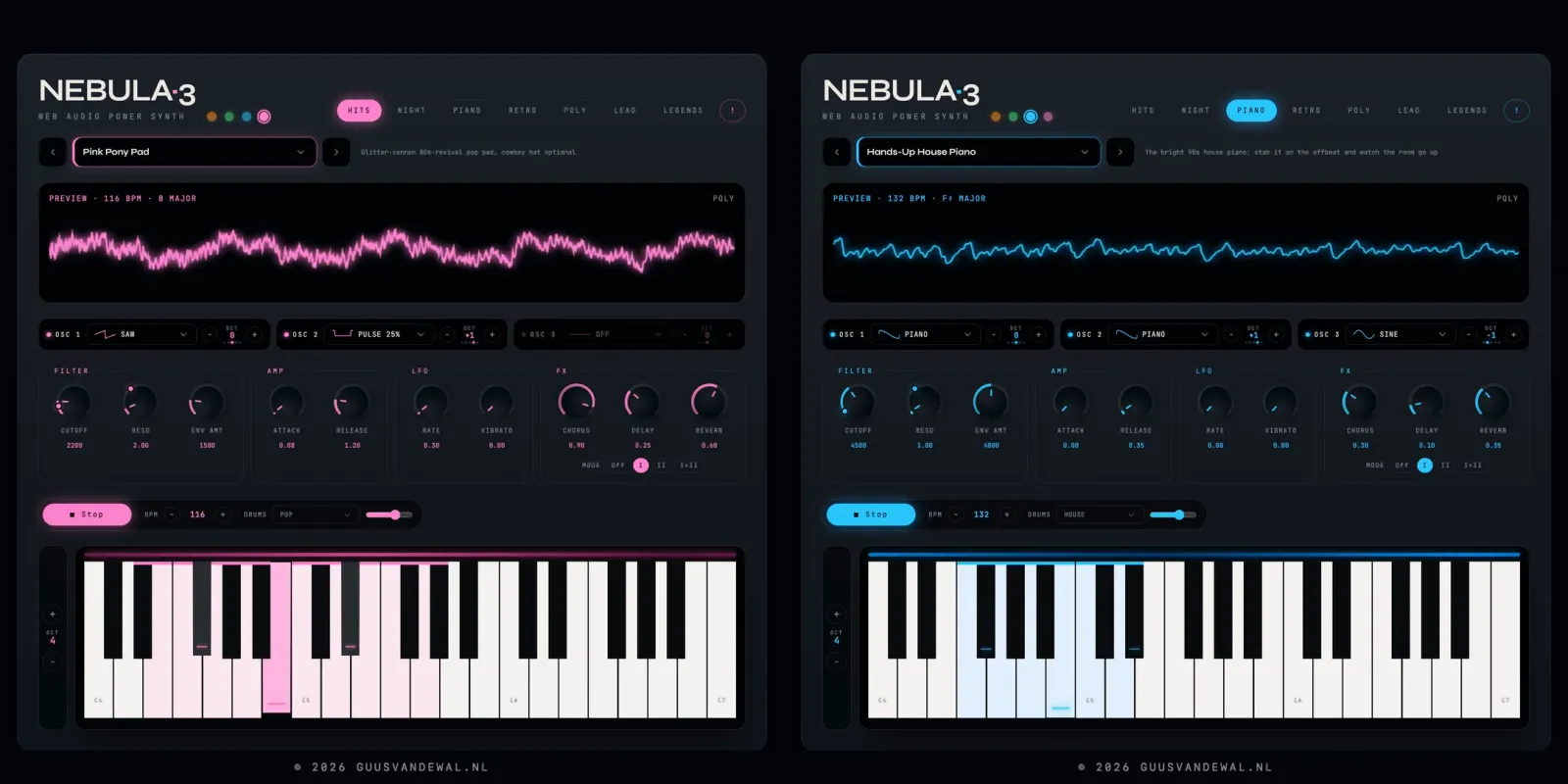
Four presets in four themes, taken from the showcase tour. The accent colour drives everything from the oscilloscope trace to the lit keys, and a preset can bring its own theme along.
Expertise used
Built by Guus van de Wal, Senior Front-end Developer & UI Engineer.